- Mar 22, 2024
Looking inside a Cluster
- Chaomei Chen
- 0 comments
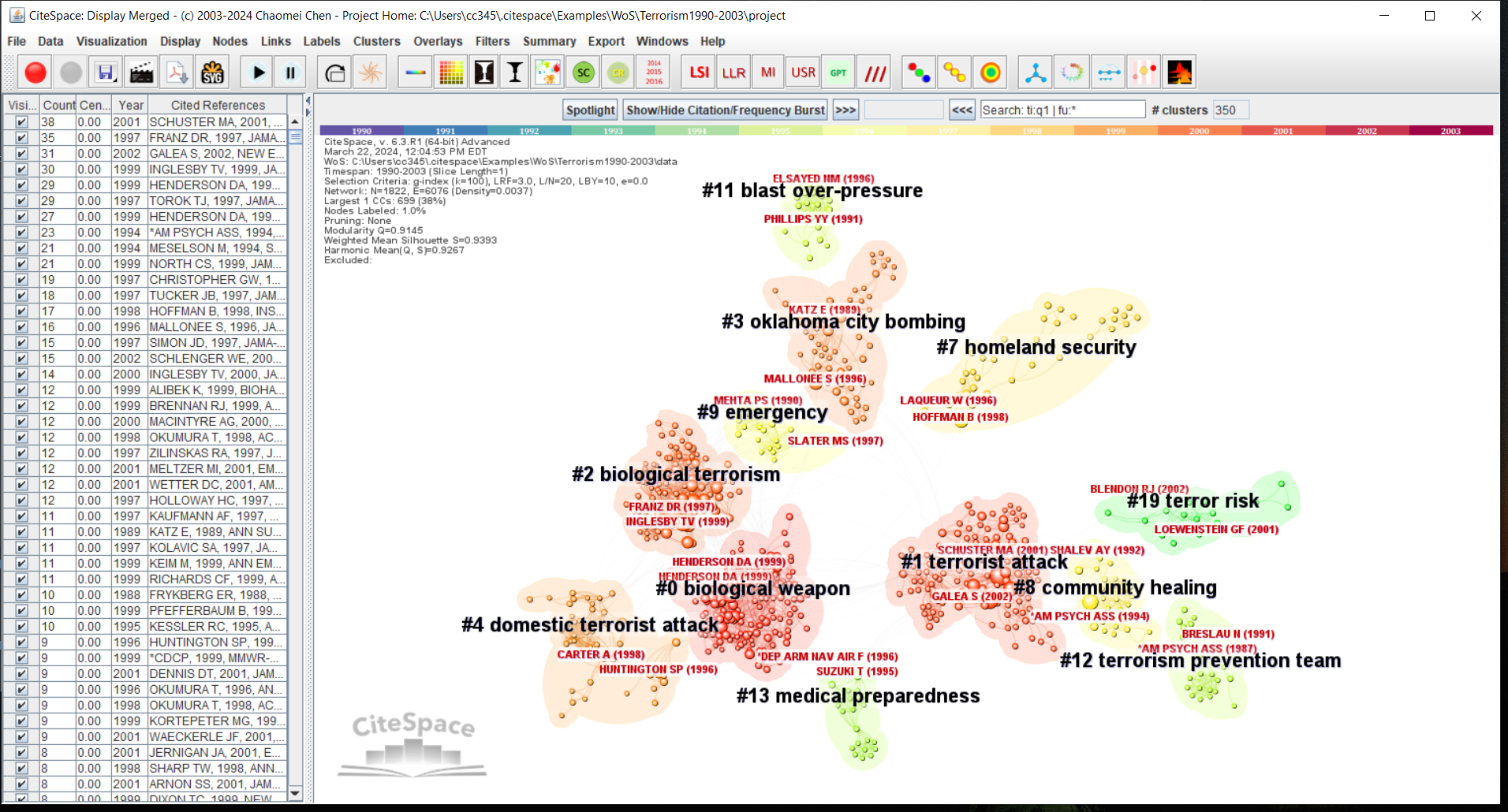
In a network of co-cited references, a cluster represents common themes that emerged from how subsequent publications cite them. In the following example, major themes are featured in terms of clusters such as #0 biological weapon, #1 terrorist attack, #2 biological terrorism, and #3 oklahoma city bombing. One may explore the visualization from here in several ways, for example, focusing on the inter-cluster dependencies or focusing on a particular cluster. Here let's look inside a particular cluster and learn more about topics specifically associated with the chosen cluster - #3 oklahoma city bombing.
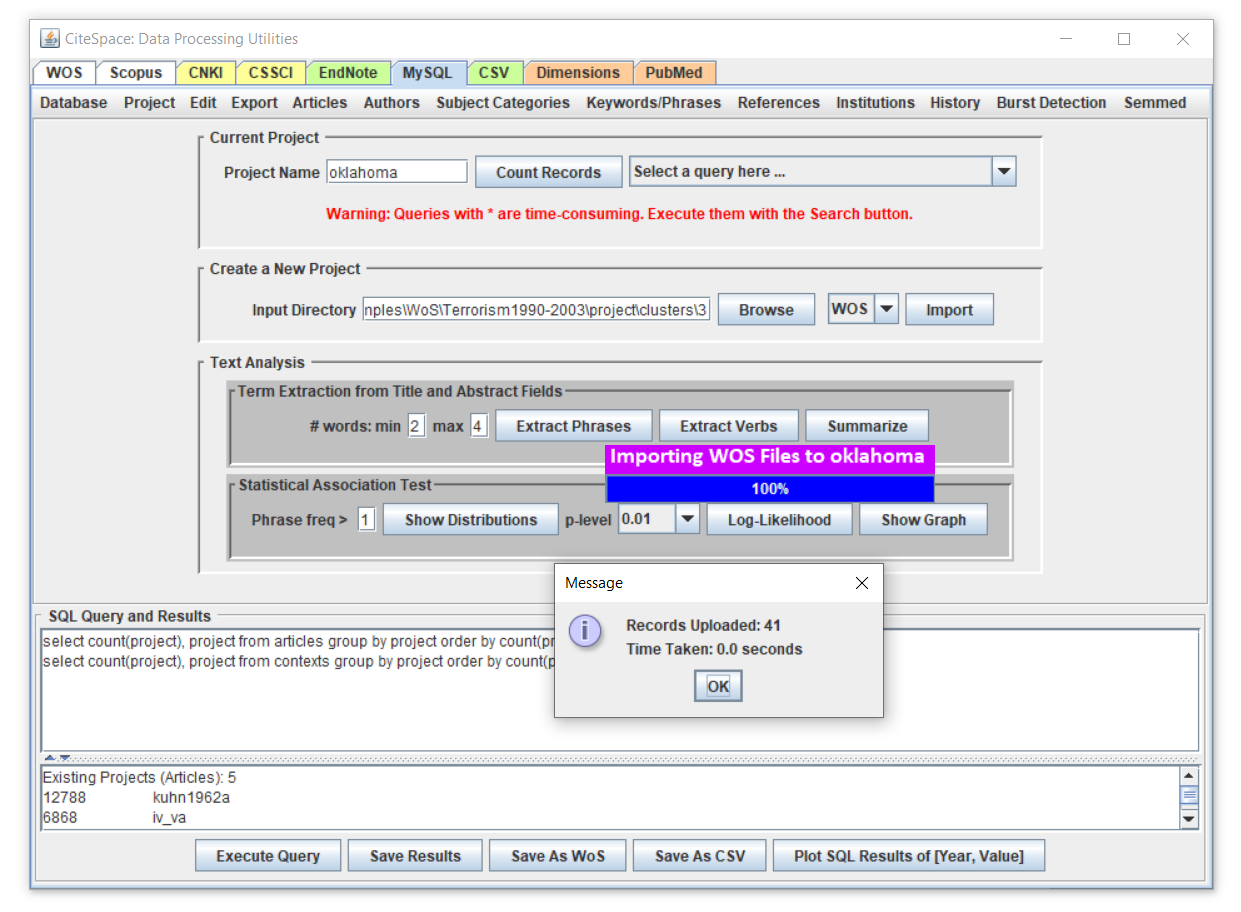
To complete the exercise below, you need to have MySQL 8 installed locally on your computer. First, save the cluster information from the above interface. Then, load the saved data to MySQL for analysis. As shown in the screenshot below, we created a project oklahoma first under the MySQL tab. We need to link the saved cluster folder with this project using the Browse button under the Create a New Project panel below. Then use the Import button to start the import process. The 41 records loaded are the 41 citing articles of the cluster. In other words, cluster #3 was formed due to the citing behavior of these 41 articles. What they have in common is one way or the other they were related to the major theme of Oklahoma City Bombing, which has profound impacts on subsequent research on terrorism.
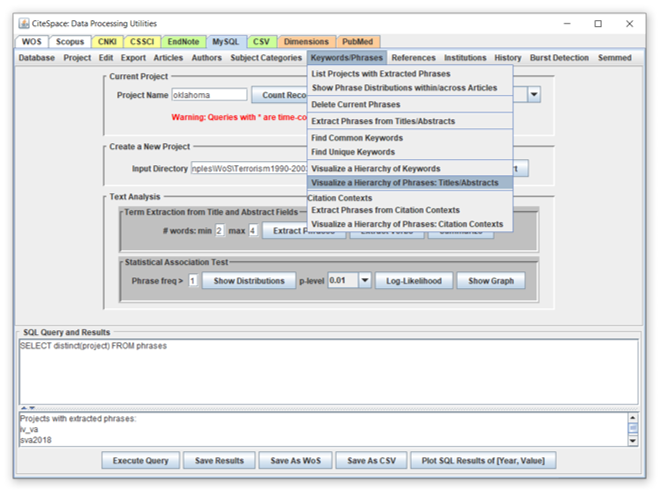
We will generate a visualization of the hierarchical relationships between concepts found in the 41 citing articles. Choose the function from the menu as shown below. It may ask you to extract noun phrases if it couldn't find theme. The extracted noun phrases will be used to construct a concept tree.
CiteSpace will ask you a few questions along the way, for example, how to set a sort of inclusion criterion in terms of the minimum frequencies required. The lower the frequency, the larger the tree you may get. The first example below used a minimum frequency of 5, whereas the second example further down used a minimum frequency of 2. The second tree is obviously larger than the first one.
The interface serves as a gateway such that you can explore the collection of 41 citing articles of the cluster on Oklahoma City Bombing based on the frequently occurred phrases. Mouse over a node of the tree will bring up a list of records in the window on the left. The occurrences of the corresponding phrase will be highlighted in yellow and you can certainly read as much as you like to get a sense of the sort of contexts in which they were used.
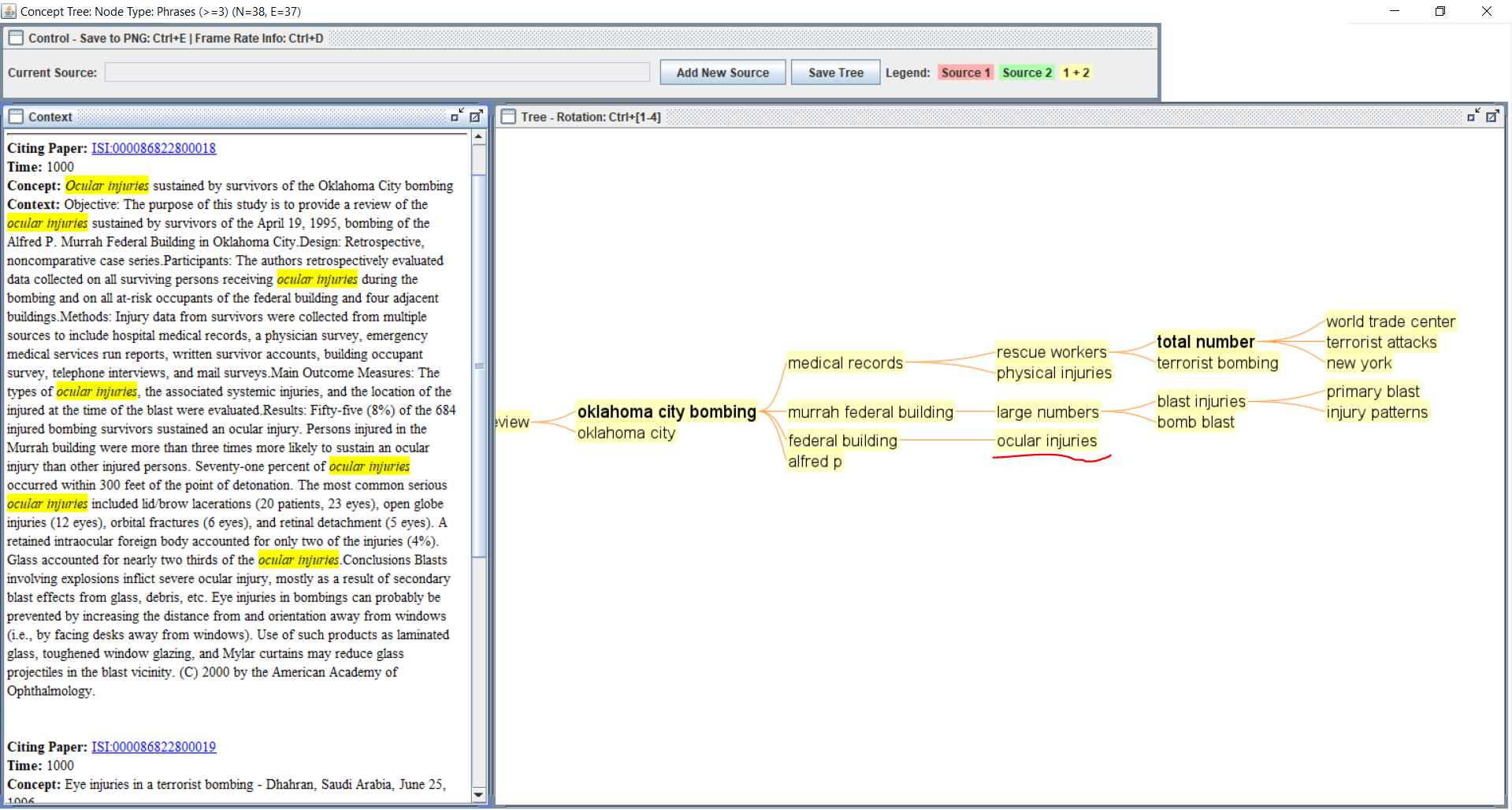
The concept tree is a visualization of the hierarchical relationships. The root node is the highest - in this case - oklahoma citing bombing. As you descend from the root node, the hierarchically organized concepts provide a graphic index to the collection of articles.
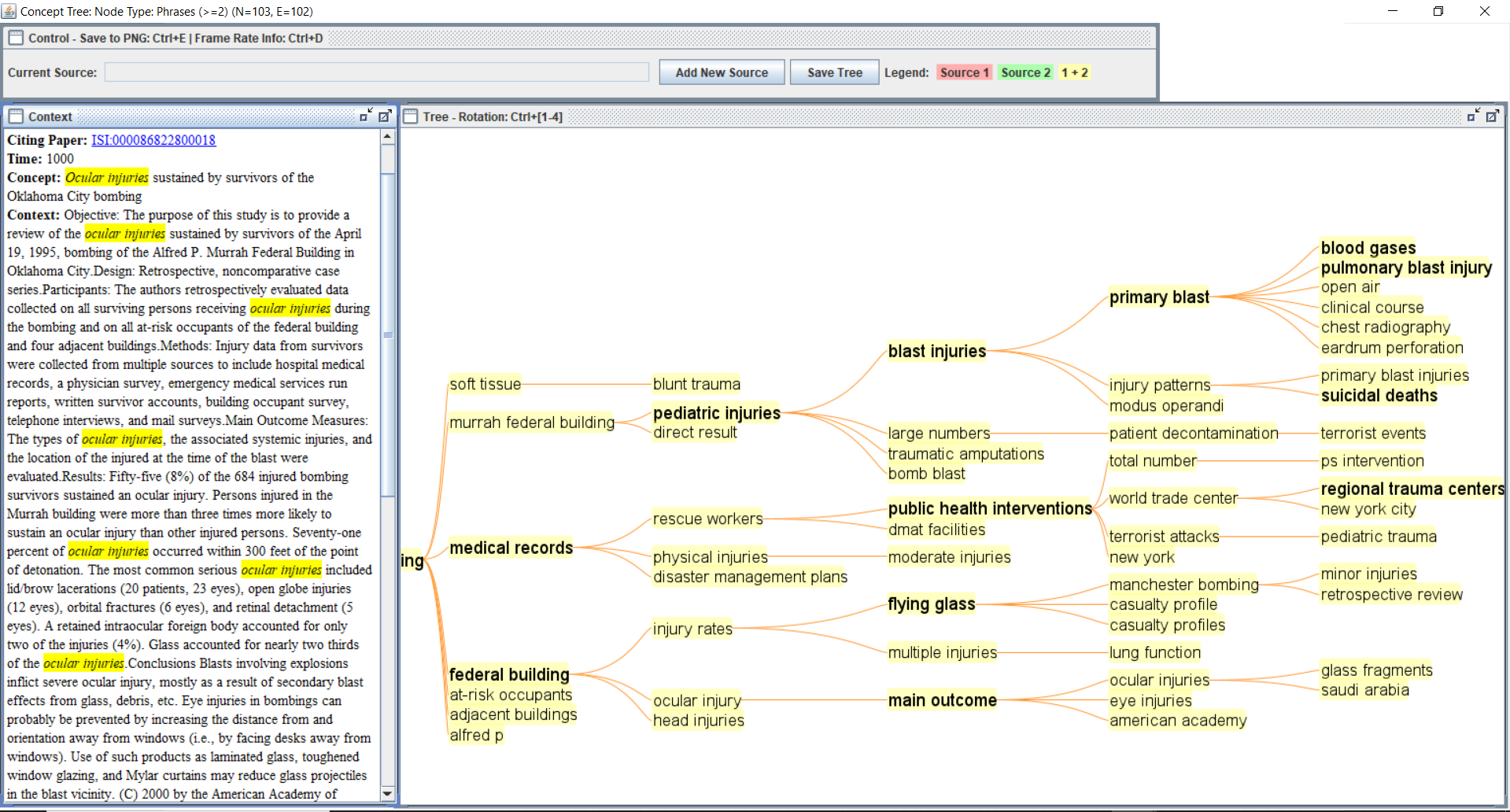
This example illustrates an alternative way to get to know topics of a cluster. You can apply this method to any clusters of your interest. If you prefer, you can simply copy the citing articles from multiple clusters into a common folder so that you can generate a structured index of all of them altogether. You could apply the method to a dataset in its entirety, although I would recommend a divide-and-conquer strategy as it will be easier to find you way in the context of a single tree rather than a potential forest.
3/22/2024 1:15 PM