- May 9, 2024
Cluster Summarization with Ollama Locally or in the Cloud
- Chaomei Chen
- 7 comments
(forthcoming in CiteSpace)
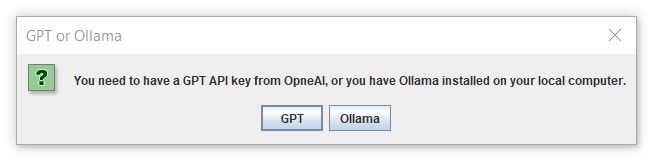
As a convenient alterative to OpenAI's GPT API, Ollama provides a promising and flexible solution to explore a large number of large language models on your own laptop. You can easily switch between models such as llama3, the most capable openly available LLM to date, gemma, a lightweight state of the art open models from Google DeepMind.
Here is a quick summary of what Ollama can do to expand our choices when it comes to summarize clusters in CiteSpace. The initial experience on Windows 10 was quite positive. A follow-up spin with an EC2 instance is even more appealing. I plan to add this new gateway to LLMs to CiteSpace.
Download Ollama
Download Ollama from https://ollama.com/download/windows. The installer will install it on your C drive by default. If your disk space is running low, the easiest way to redirect to another drive is to launch the installer from the command line: OllamaSetup.exe /DIR=D:\somewhereelse
LLM Models
A list of models can be added or removed from Ollama. See https://ollama.com/library for the full list. For example, llama3 is tagged as the most capable openly available LLM to date, whereas gemma is featured as a family of lightweighted, state of the art open models built by Google DeepMind. There are so many interesting models. I just wish I have the time to explore more of them one by one. In this blog, I will focus on llama3 and gemma. I will use the OpenAI's gpt-4-turbo as a reference point.
To add a model to Ollama:
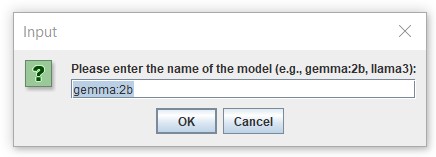
ollama pull llama3 or pull gemma:2b
To remove a model:
rm llama3 or rm gemma:2b
ollama serve will start ollama on your localhost:11434.
Cluster Summarization
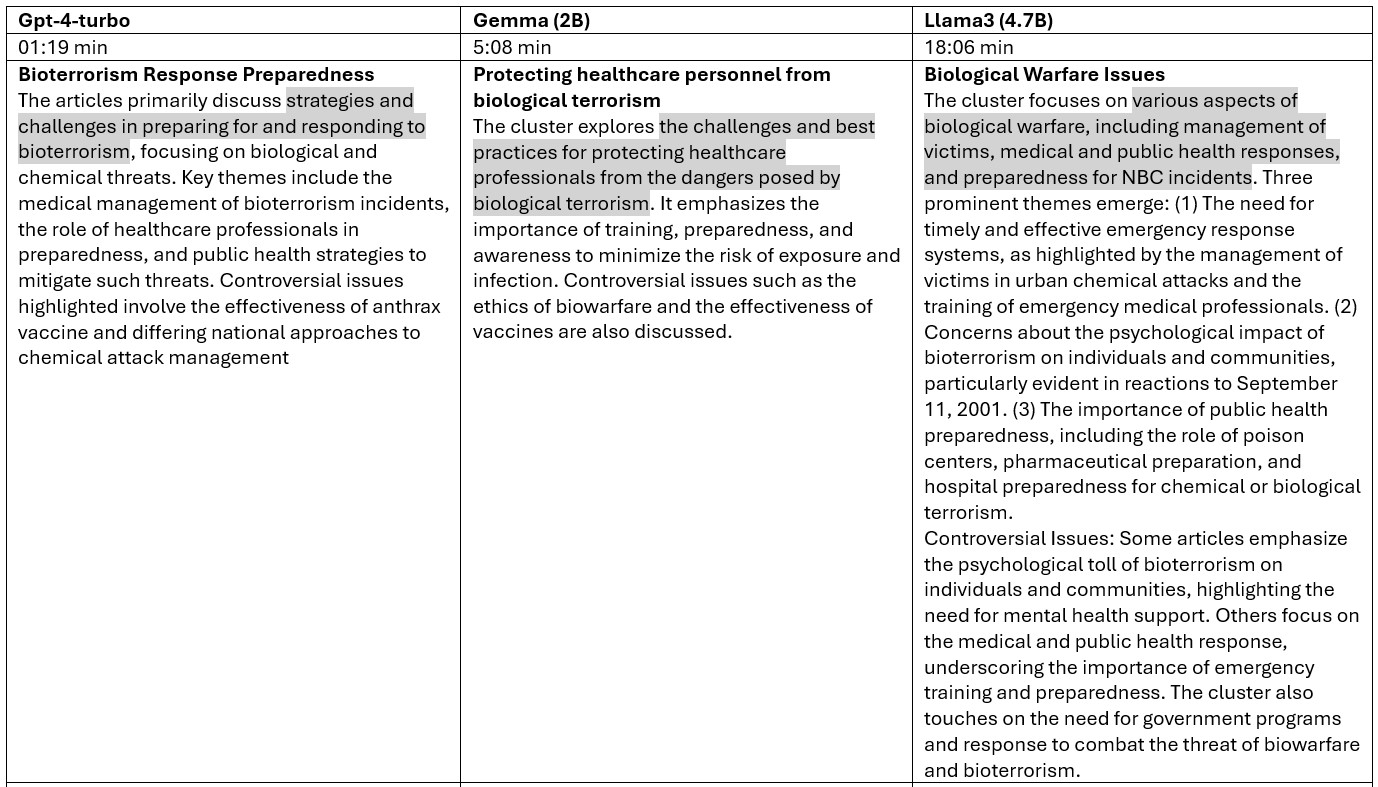
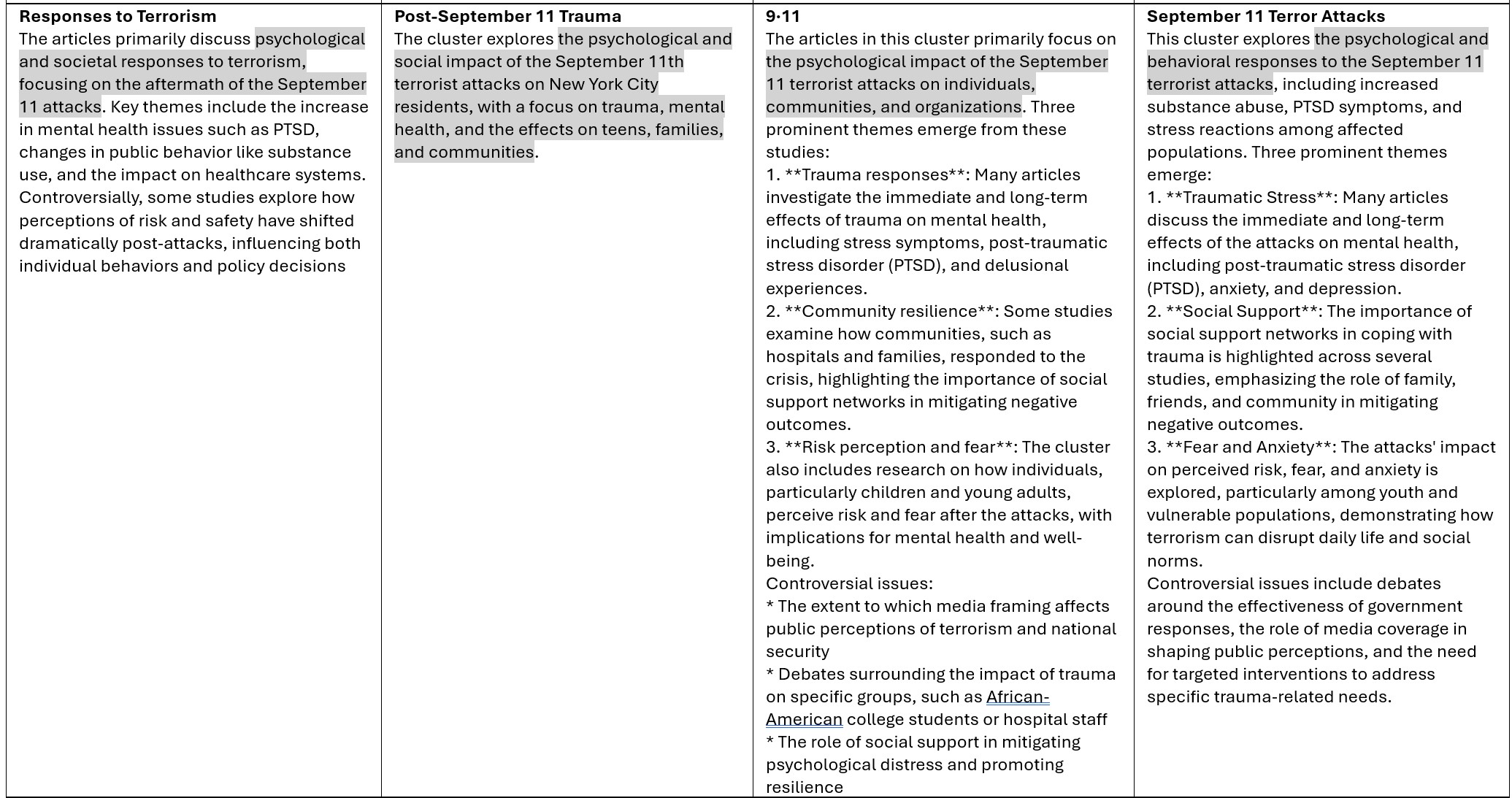
For the purpose of comparison, the input and the prompt are kept the same as I switched from one model to another for them to summarize 5 clusters from CiteSpace.
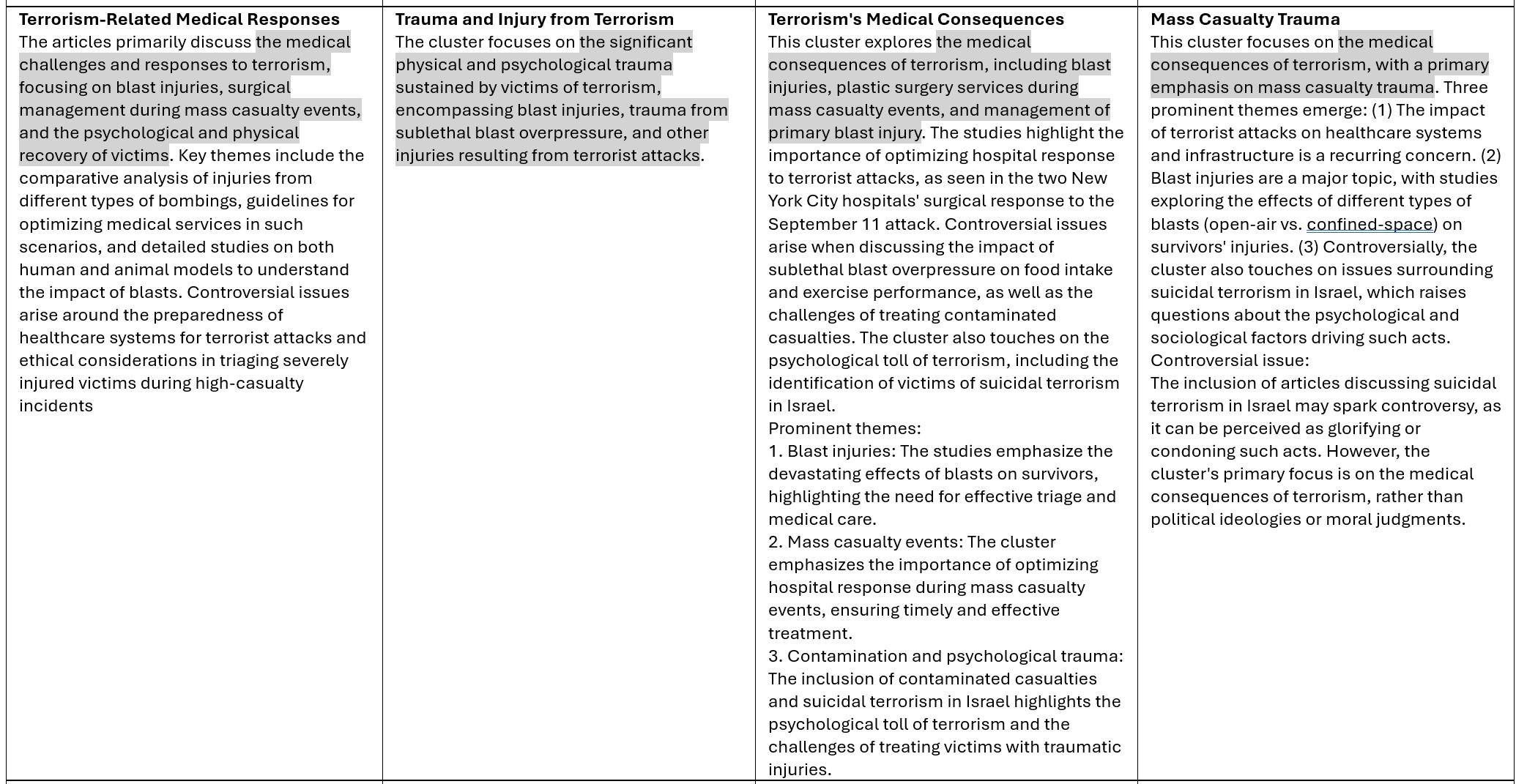
As you can see from the table below, GPT-4 has the fastest completion time, followed by Gemma, whereas llama3 took the longest. In terms of the length of the summarization, llama3 seems to give a much longer summary than the other two. Note that longer summaries are not necessarily better. On the other hand, gemma seems to be quite terse. The overlap between their summaries is evident. They all hit the target squarely.
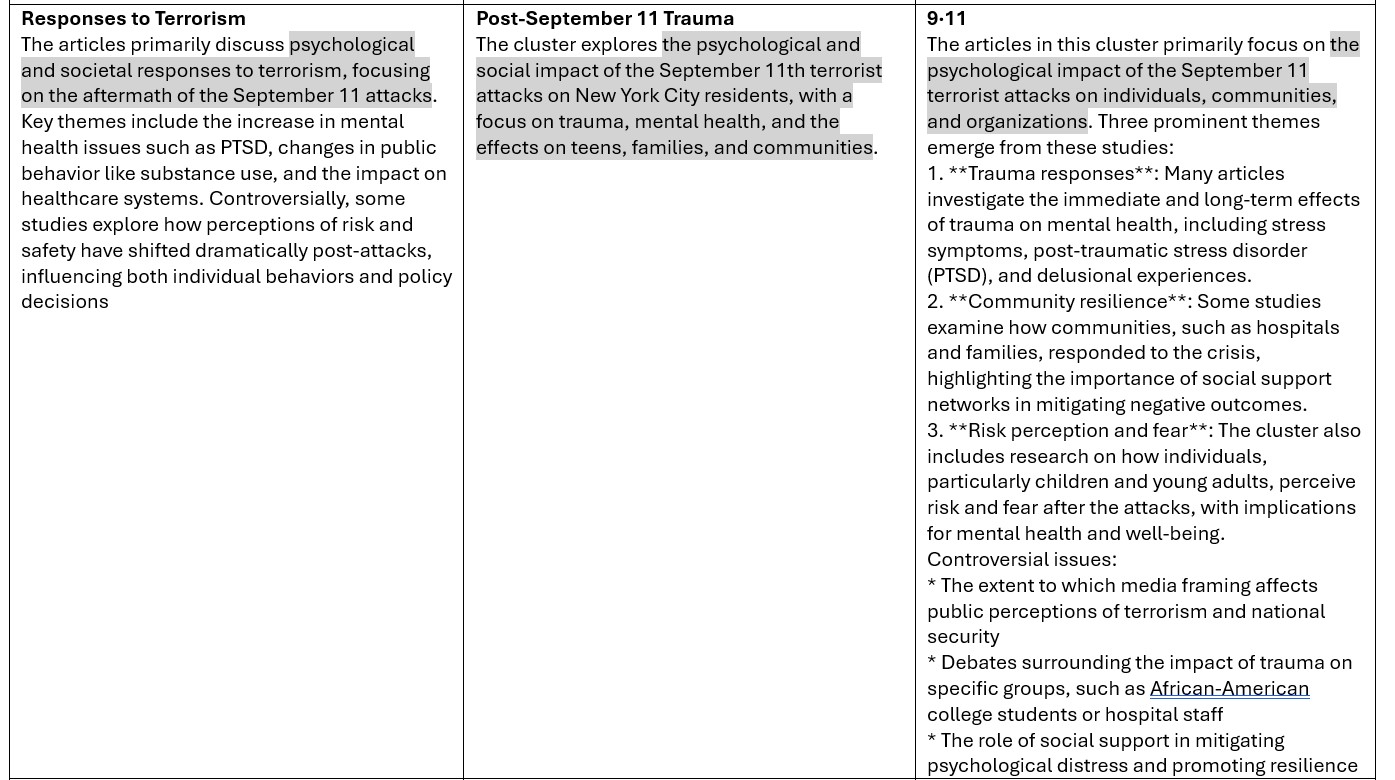
Here are other cluster summaries:
Cluster Labels with GPT and LLMs with Ollama
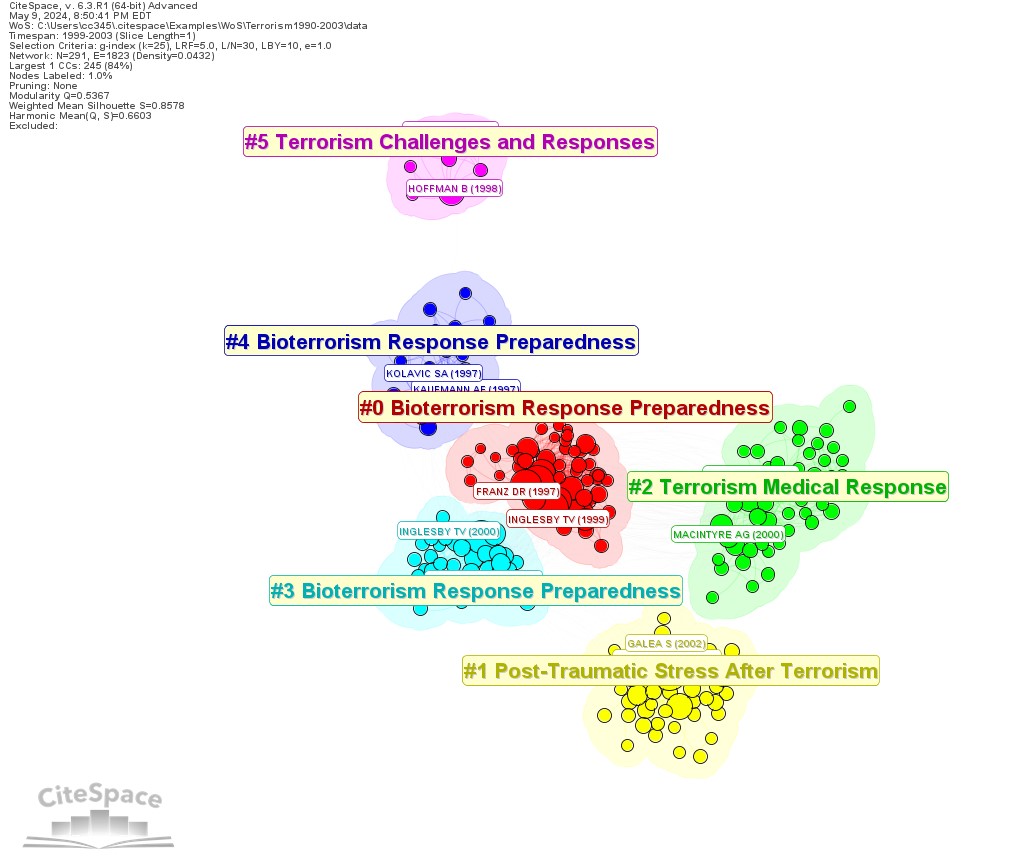
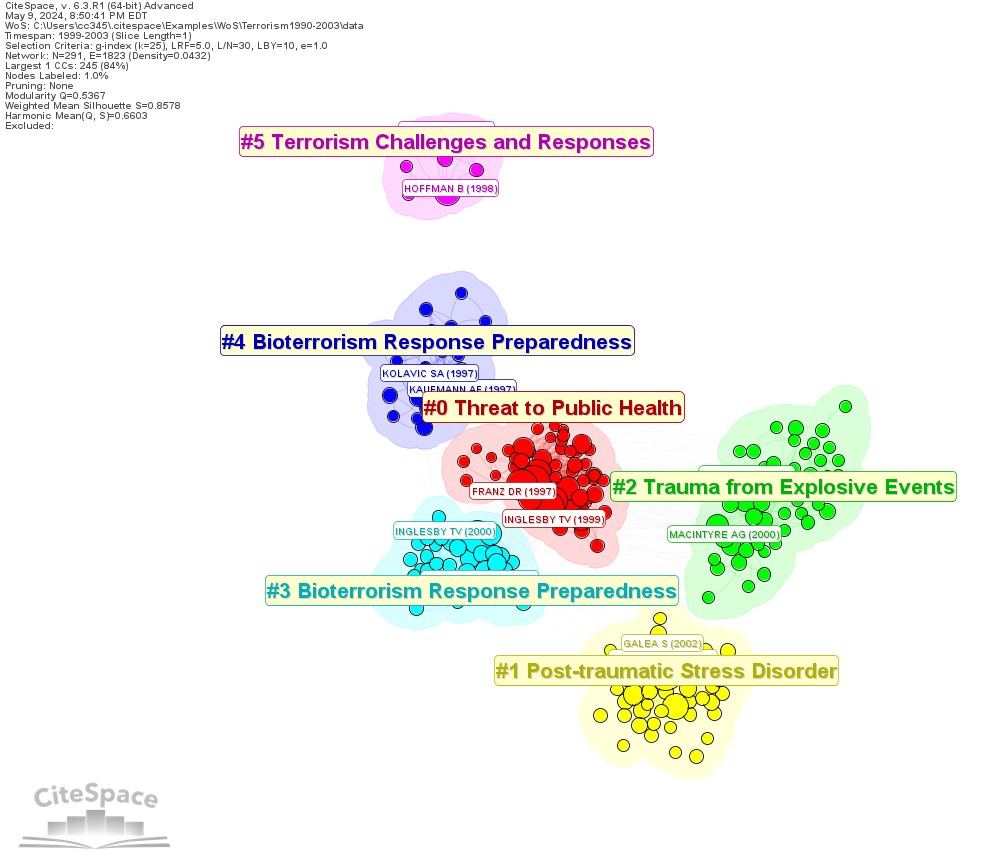
Between GPT-4 and Gemma:2B, three of the five clusters have the identical labels, but the largest two clusters differ, namely Bioterrorism Response Preparedness (GPT) vs. Threat to Public Health (Gemma), and Terrorism Medical Response (GPT) vs Trauma from Explosive Events (events). GPT-4 has a lot more parameters than Gemma:2B.
GPT-labeled Clusters
Gemma:2B-labeled Clusters
It is certainly good news to have added flexibility of choosing your own favorite LLMs to work with. Your laptop may get stretched a bit if you are running low on your disk space or your RAM. In this exercise, I used all the default settings, which may be further optimized to speed up the overall completion time. On the other hand, since you don't need to pay for its usage, it opens up other opportunities and you don't need to worry how soon your budget will run out.
Ollama on AWS EC2
Resources on my old laptop are not ideal to host models such as llama3. Using a GPU-empowered virtual machine in the cloud can be an attractive option, especially if you enjoy managing LLMs all by yourself. An AMI instance on AWS EC2 such as Amazon Linux 2 with GPU costs about $0.53 per hour. The cost is on the time consumed, as opposed to the number of tokens involved. You can easily turn on and off your rental machine as you need, while you can still have the benefits of having LLMs in your own backyard. The overall completion time is very close to the completion time from OpenAI's API (Column 4 in the table below).

I will keep looking for other viable options of working with LLMs. If you have preferences or recommendations, please let me know.
7 comments

"For the purpose of comparison, the input and the prompt are kept the same". What was the input and prompt?
录制了一个应用相关教程【Ollama+CiteSpace生成聚类标签】 https://www.bilibili.com/video/BV1aS411c7VP/?share_source=copy_web&vd_source=22bbb347bb8d67ef942ba5a57f76efb1 ,限于电脑配置原因,使用的gemma模型。ollama部署大模型到本地还是比较吃GPU,现在其实有一些CPU运行本地大模型的框架,比如GPT4all软件

常规部署ollama本地模型以后出现了个很麻烦的事情:
Ollama: Error: Accessing a URL protocol that was not enabled. The URL protocol http is supported but not enabled by default. It must be enabled by adding the --enable-url-protocols=http option to the native-image command.
想知道这个http端口访问的问题要咋解决

已修复。下载这个版本(built 11/16/2024)。
感谢

我在使用summary功能的时候,遇到了以下问题:1、在对reference进行分析的时候,没有gpt的前提下,按照提示,聚类-保存图-突发性检测等,也生成了narrative_summary.html的网页文件,table1给出了cluster的信息,同时后面给出了详细的分析,这是软件自带的功能吗?但是后面再使用这个功能对keyword进行分析时,narrative_summary.html的网页文件的图片还是昨天reference的图片,并且table1没有对应的cluster的信息,也没有详细的后面的每个cluster的文献,只有后面的CITATION COUNTS、BURSTS等信息,请问这是为什么?
References: 那是以前运行gpt留下的结果。图片是文件夹里最新的图片,需要刷新的话,重新聚类,Save as PNG等一系列操作之后再生成报告。报告功能开始时有这方面提示。keyword的聚类信息和报告结构和references 不同。