- Jun 17, 2024
What's New in 6.3.R3 Advanced
- Chaomei Chen
- 13 comments
Updated 6/27/2024
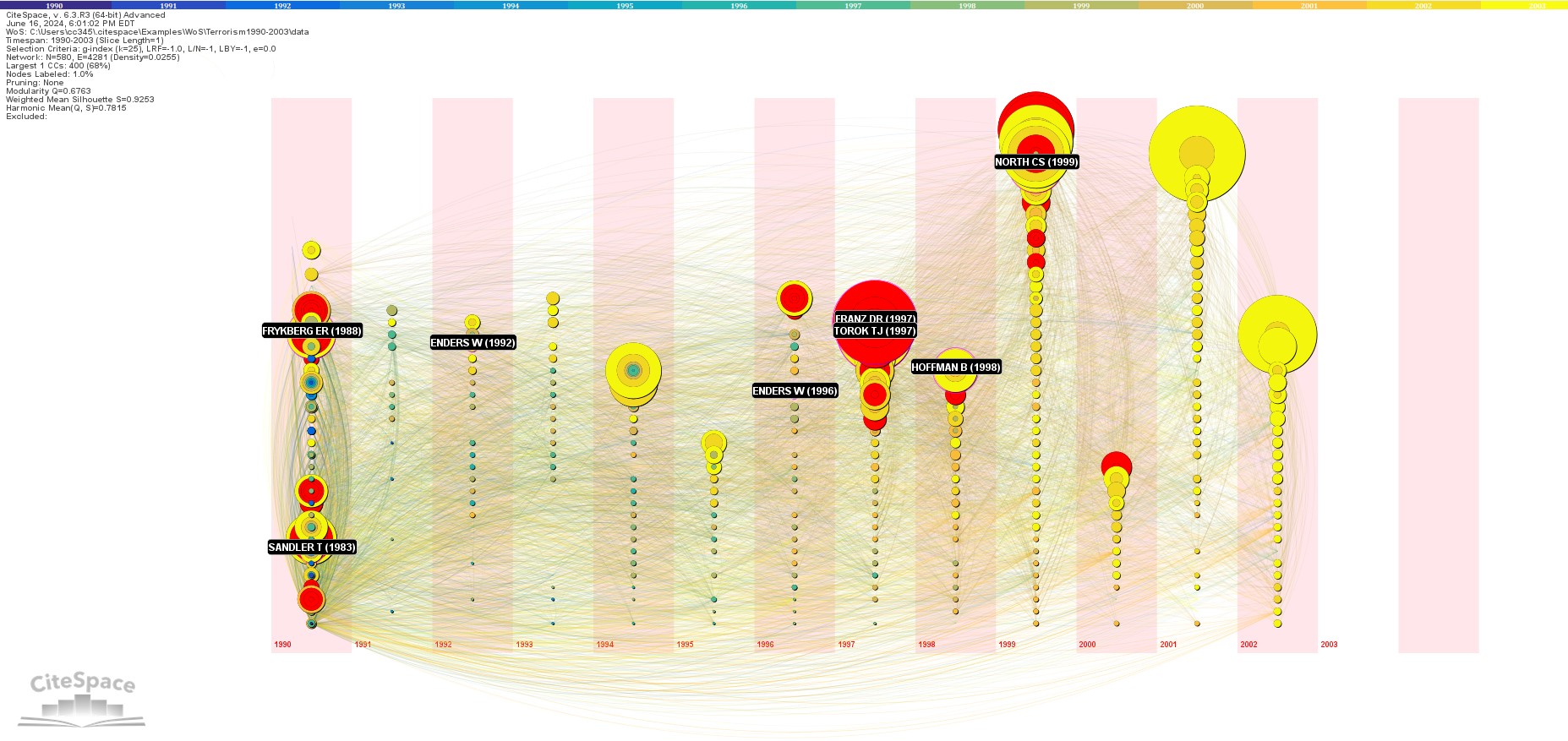
Timeline View
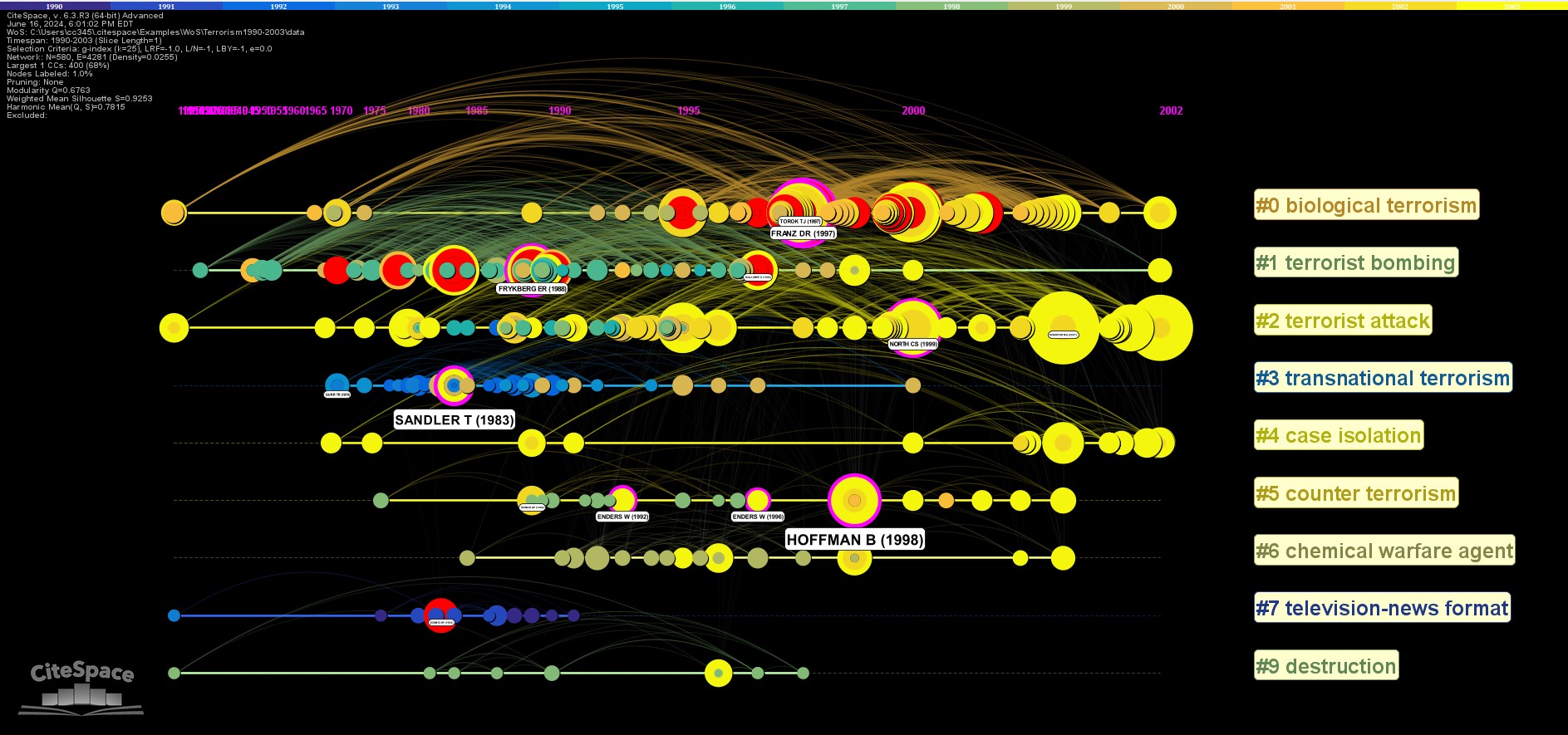
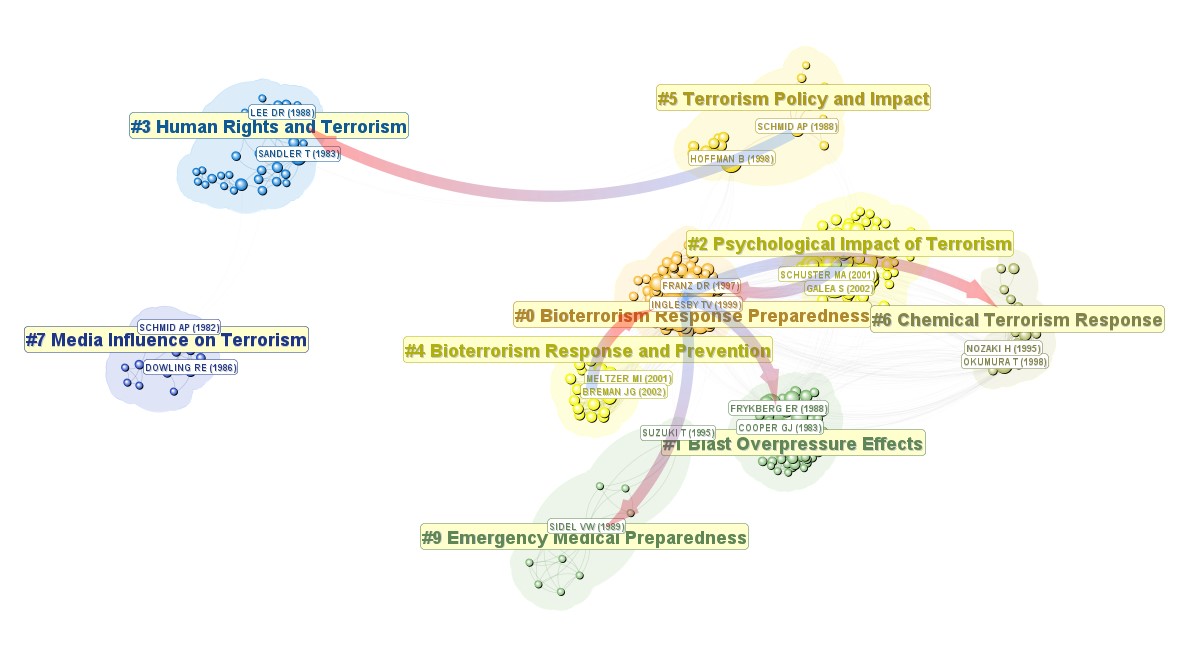
The Timeline View has been updated. Node labels are getting a bit closer to their nodes. You may choose a background color for your node labels. Here is a fisheye view in the Timeline View so that nodes in the recent years are not too crowded together.
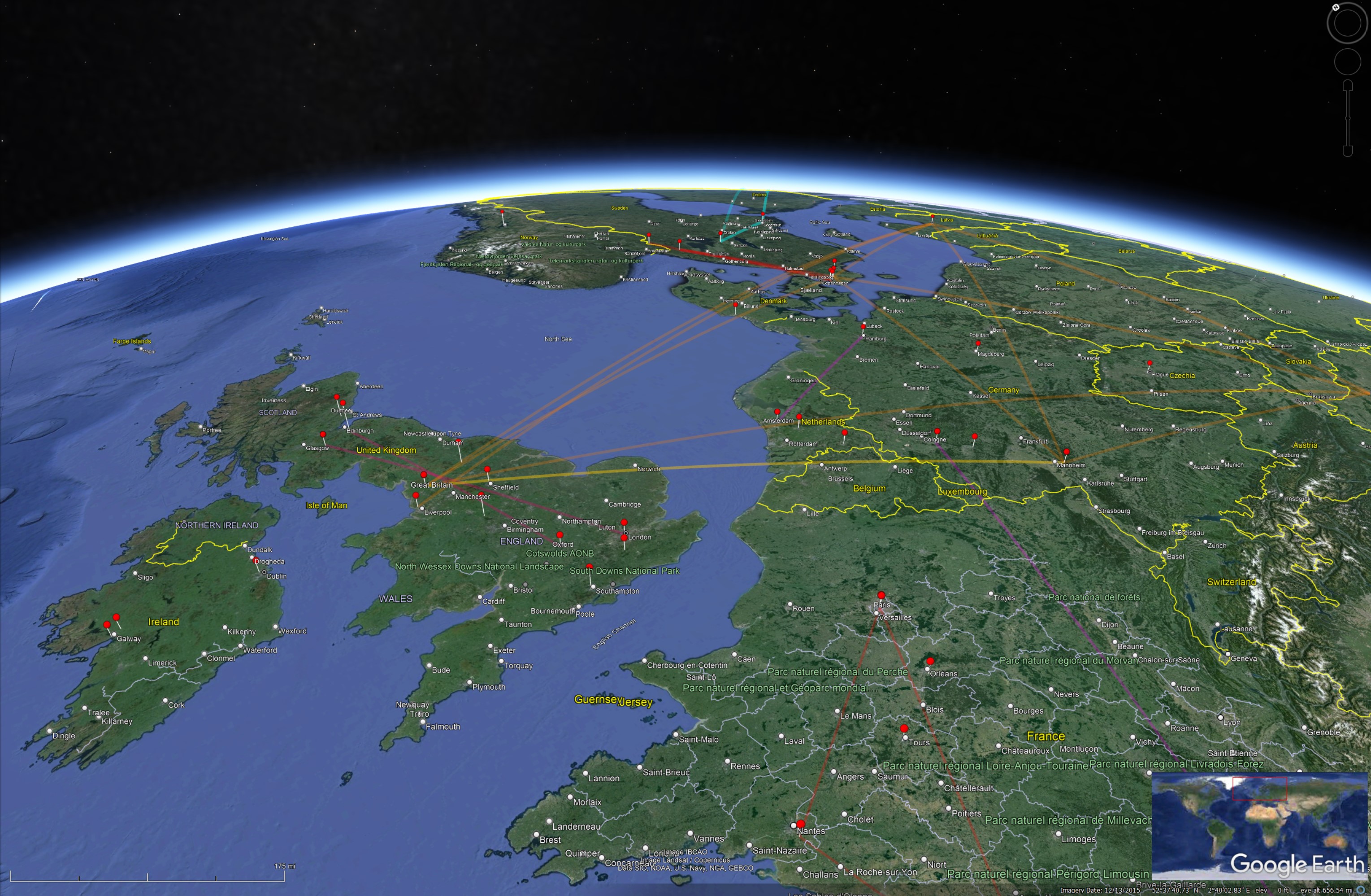
Google Earth KML
CiteSpace uses https://geocode.maps.co for geocoding purposes. The Geocode.maps now requires an API key. You need to obtain your own API key from them to use this function in CiteSpace. Set an environment variable GeocodeAPI with your own API key.
There are a few plans. Currently, CiteSpace assumes you have the free API, which limits to 1 request per second and a total of 100,00 per month.
Scopus
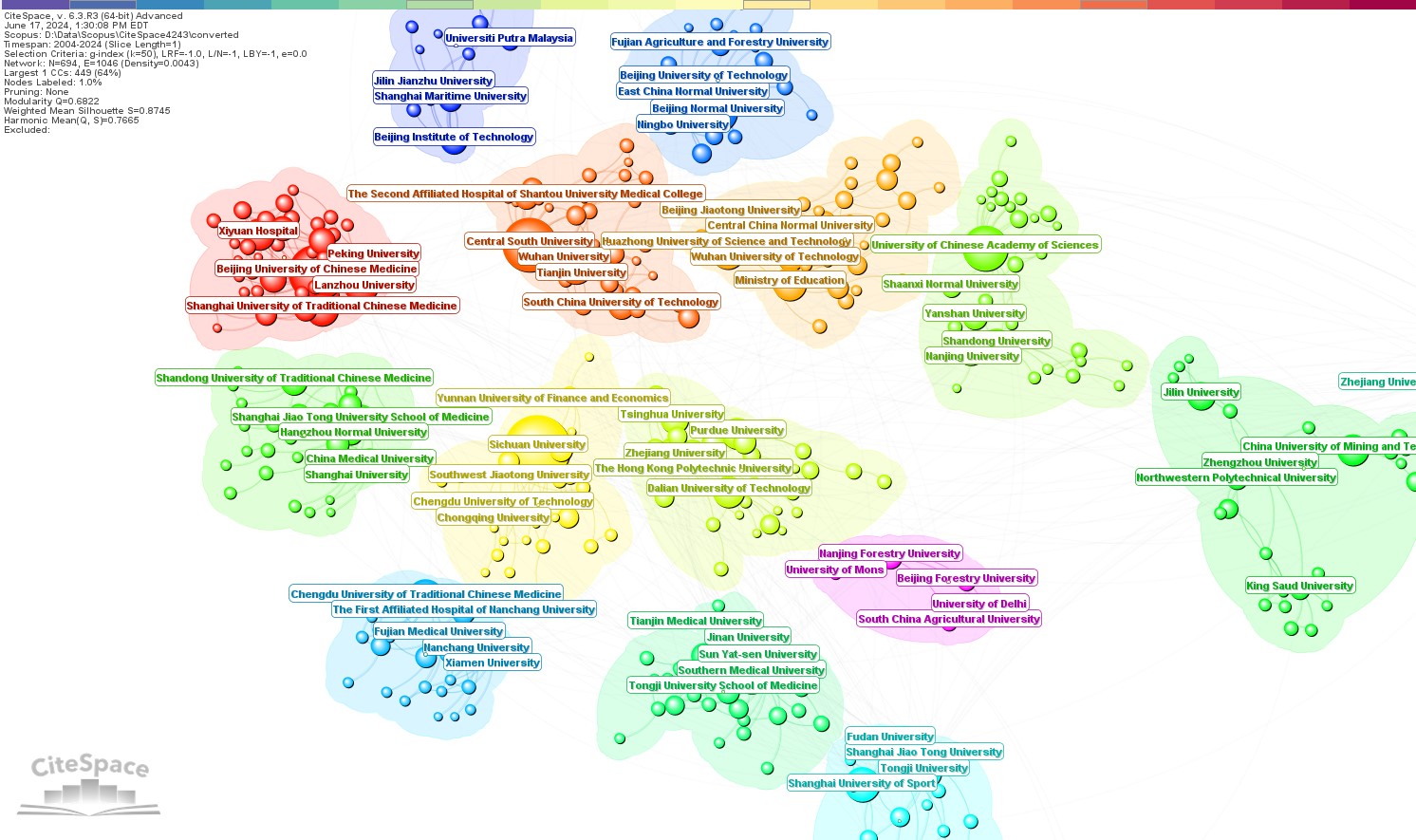
Author affiliations are originally formatted differently in Scopus from the Web of Science. In Scopus, the institution name is often buried in the middle of a long string of a department, a college, its city, and country. If you need to generate a network of collaborating institutions, you may find some lower-level units such as departments appear as nodes instead of institutions. In 6.3.R3, the Scopus conversion function is revised to take this issue into account, at this point, most of time. In future releases, the user should be able to make additional changes.
Author Labels
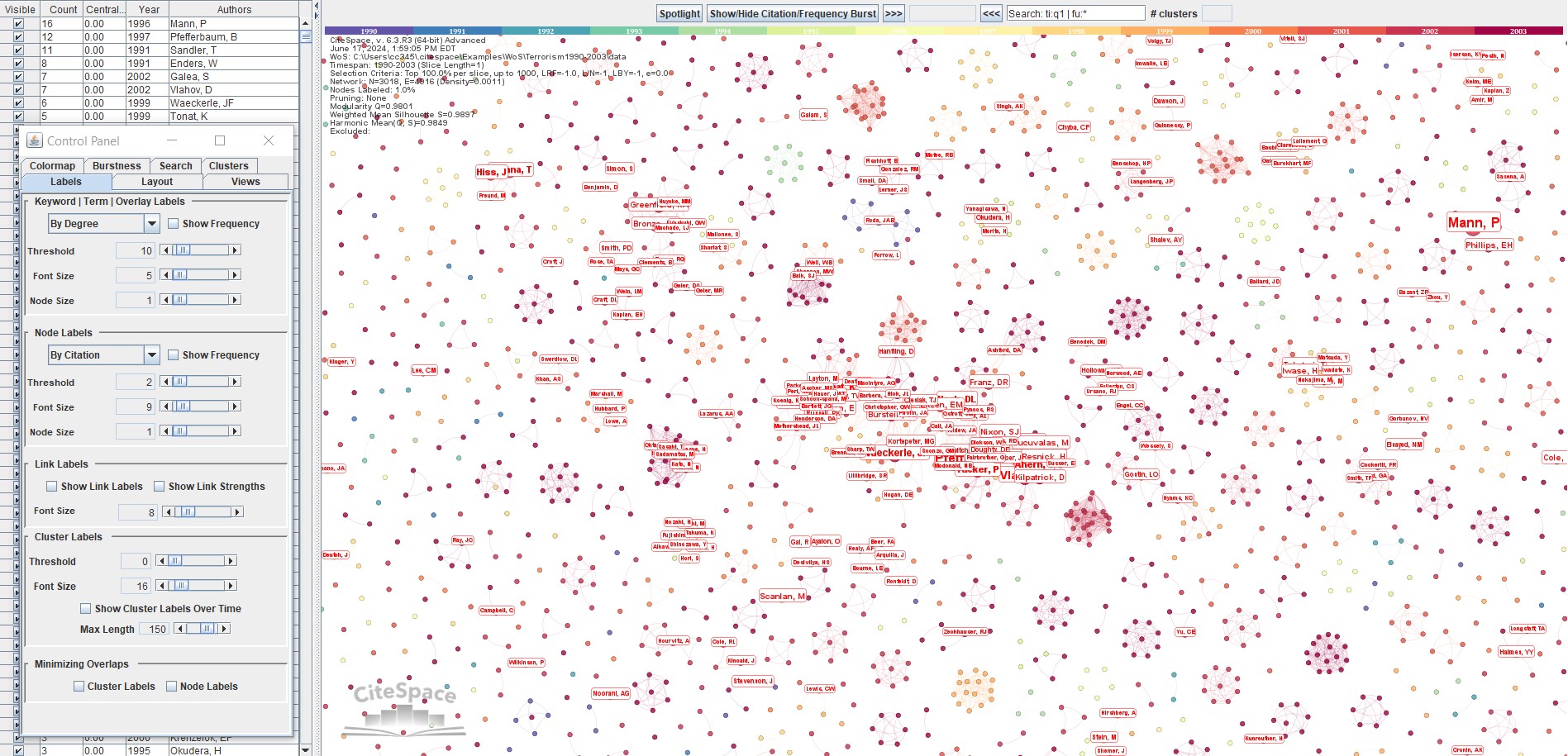
Some users asked how to show more node labels in a co-author network. The key is the threshold in the Control Panel. Before clustering, the default mode is to show node labels based on their frequencies. The notion of frequency is context sensitive. In a co-author network, the frequency is the number of qualified publications associated with an author node. In a network of cited references, the frequency is the time of times the reference has been cited. The default mode is By Citation, which may make things a bit more puzzling for beginners. If you want to see more labels, simply lower the threshold value.
The default mode will change to By Cluster if you generate clusters. Once clusters are identified, node labels are shown By Cluster, which means the same number of top-cited or top-whatever nodes will have their labels shown. This option will present information evenly across clusters.
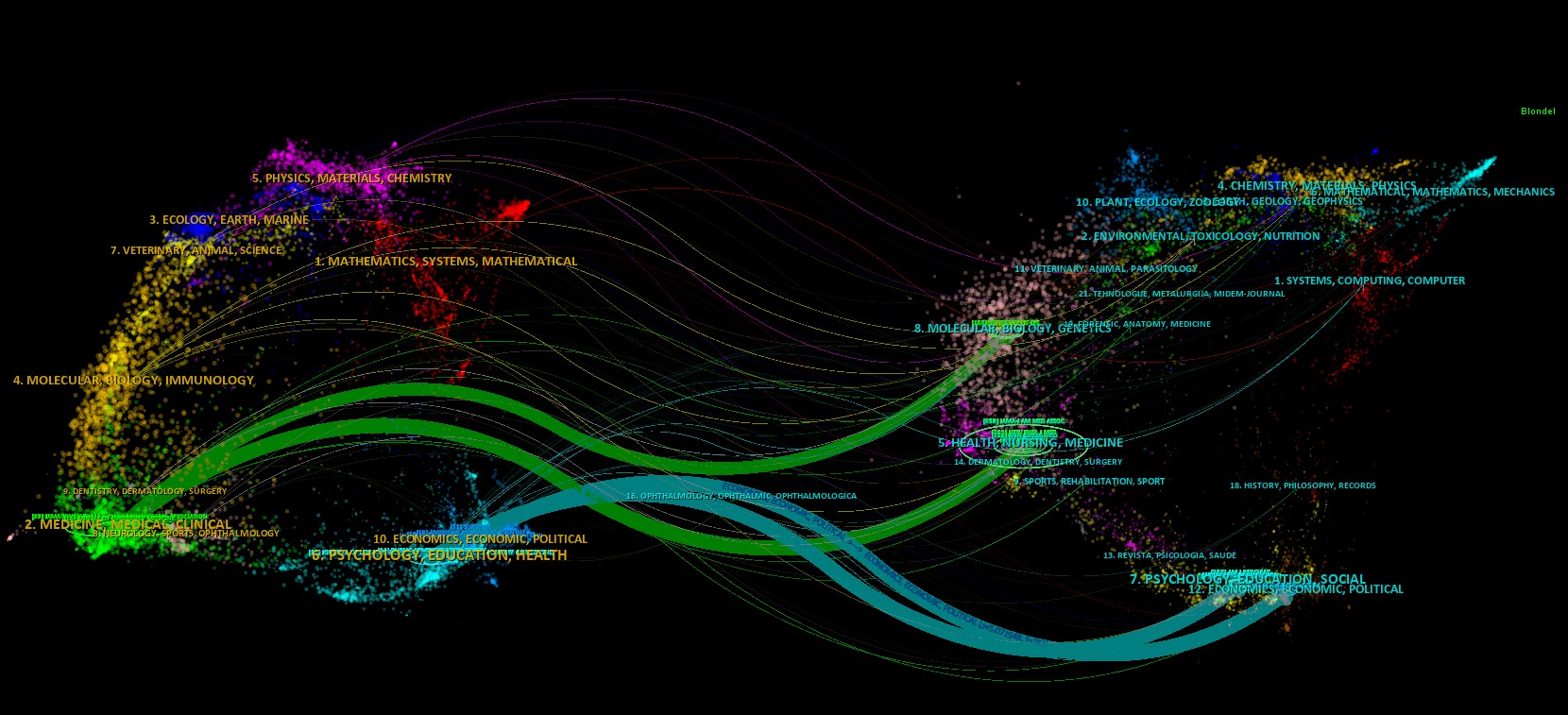
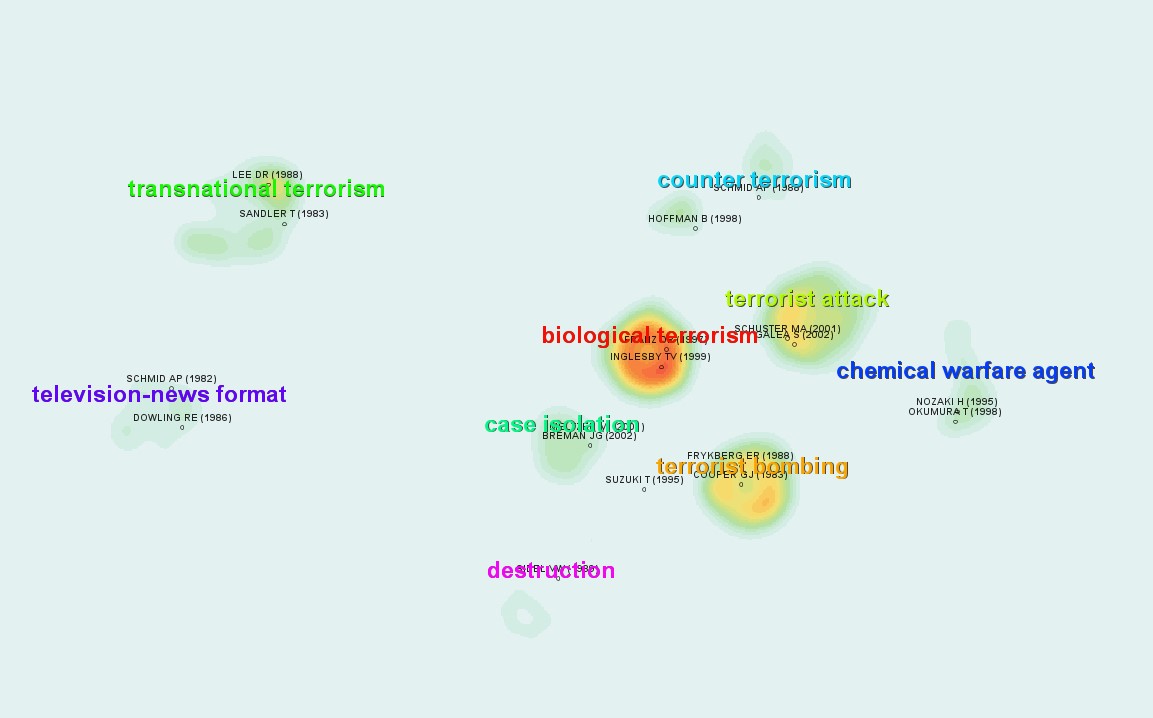
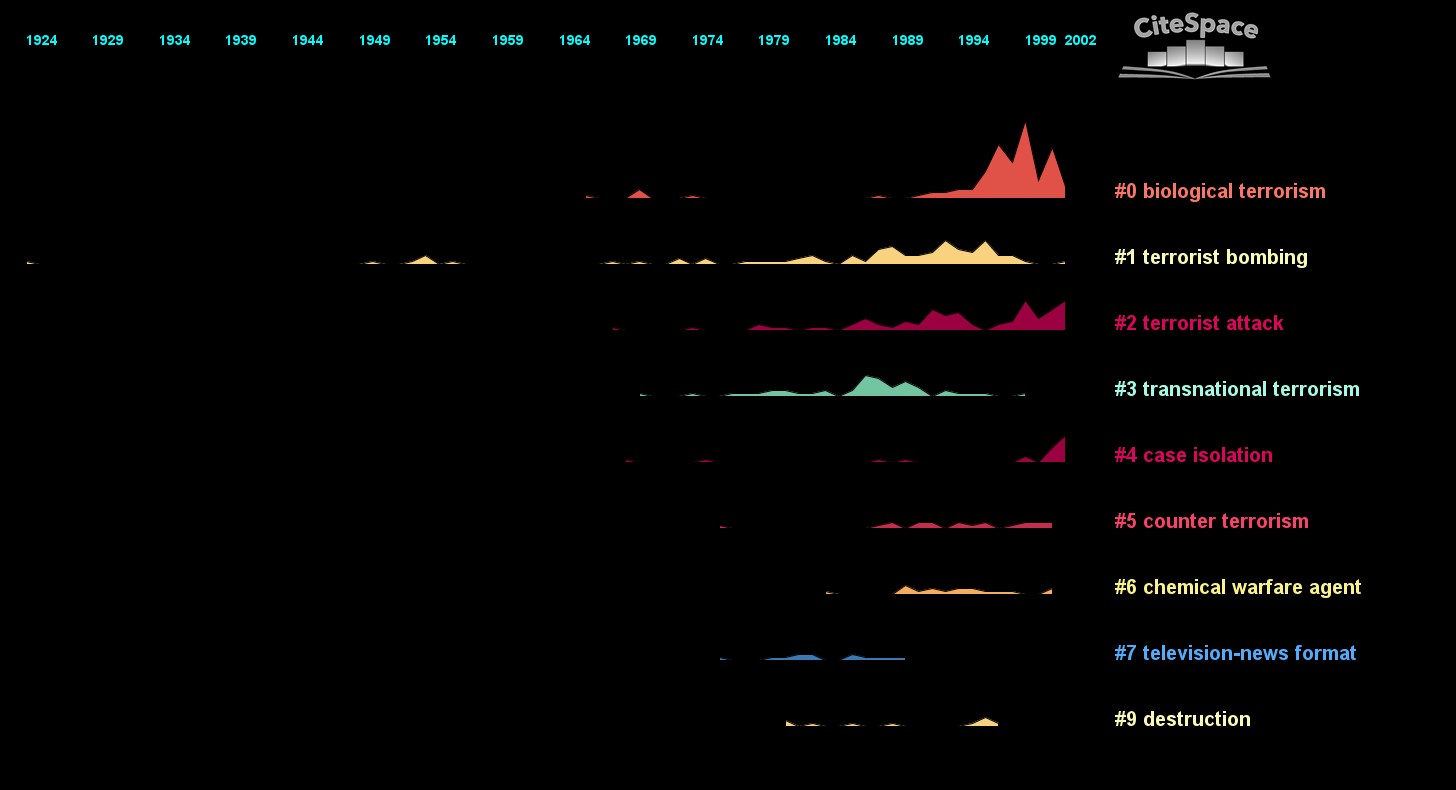
Dual Map, Heatmap, Landscape, Timezone, Cluster View
None or minor changes are made for this group of functions.
Ollama
Last, for the adventure seekers, as mentioned in another blog, a new option is added for using Ollama in additional to the default GPT from OpenAI. You will need to have Ollama setup on your localhost:11434 or have it setup on a remote server and provide the endpoint when asked. You will also need to provide the name of the model you would like to use, for example, llama3. As far as CiteSpace is concerned, that is all you need to tell CiteSpace. Beyond that, you will be essentially on your own to figure out the Ollama side of the setup.
A new patch of CiteSpace was released on 6/27/2024. Here are some examples with llama3 and gemma:2b.
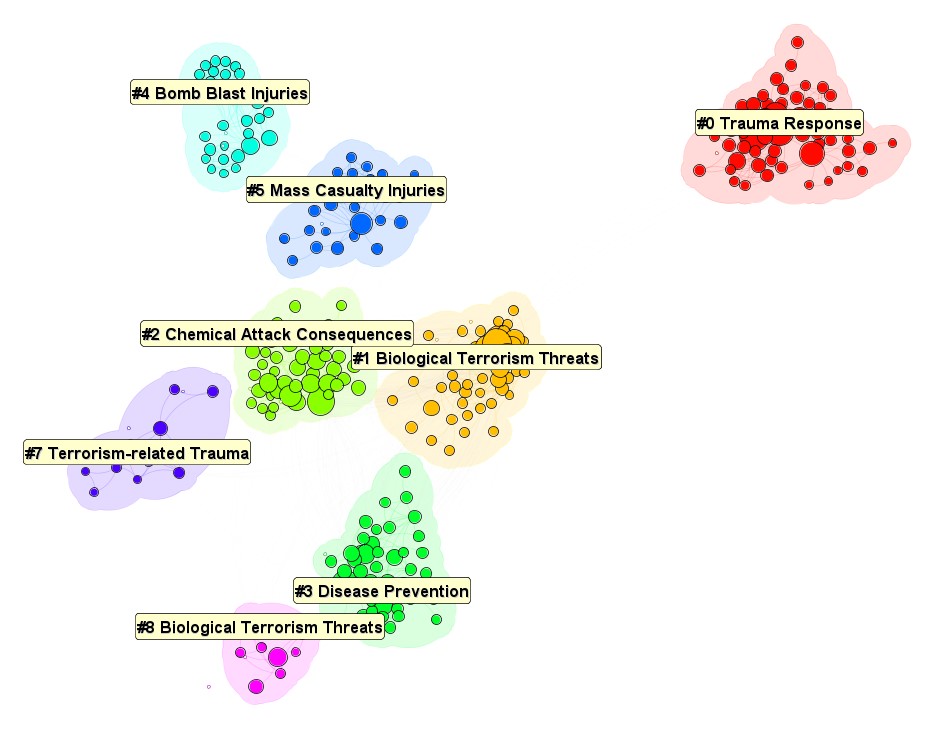
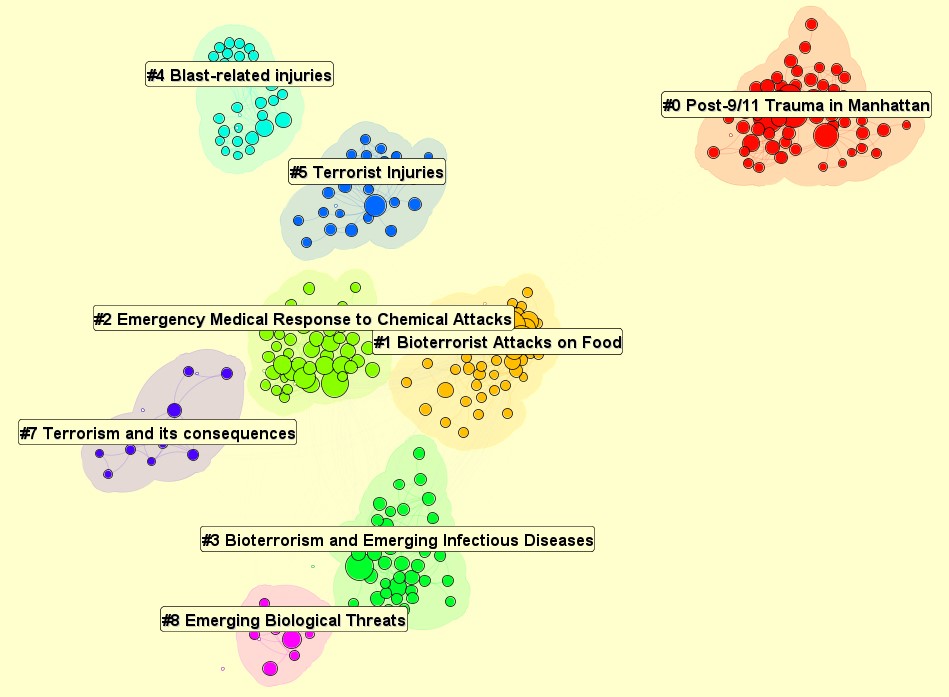
Cluster Labels: llma3 vs gemma:2b
#0: Trauma Response vs Post-9/11 Trauma in Manhattan
#1: Biological Terrorism Threats vs Bioterrorist Attacks on Food
#2: Chemical Attack Consequences vs Emergency Medical Responses to Chemical Attacks
#3: Disease Prevention vs Bioterrorism and Emerging Infectious Diseases
#4: Bomb Blast Injuries vs Blast-Related Injuries
llma 3 (4 GB):
gemma:2b (1.7 GB)
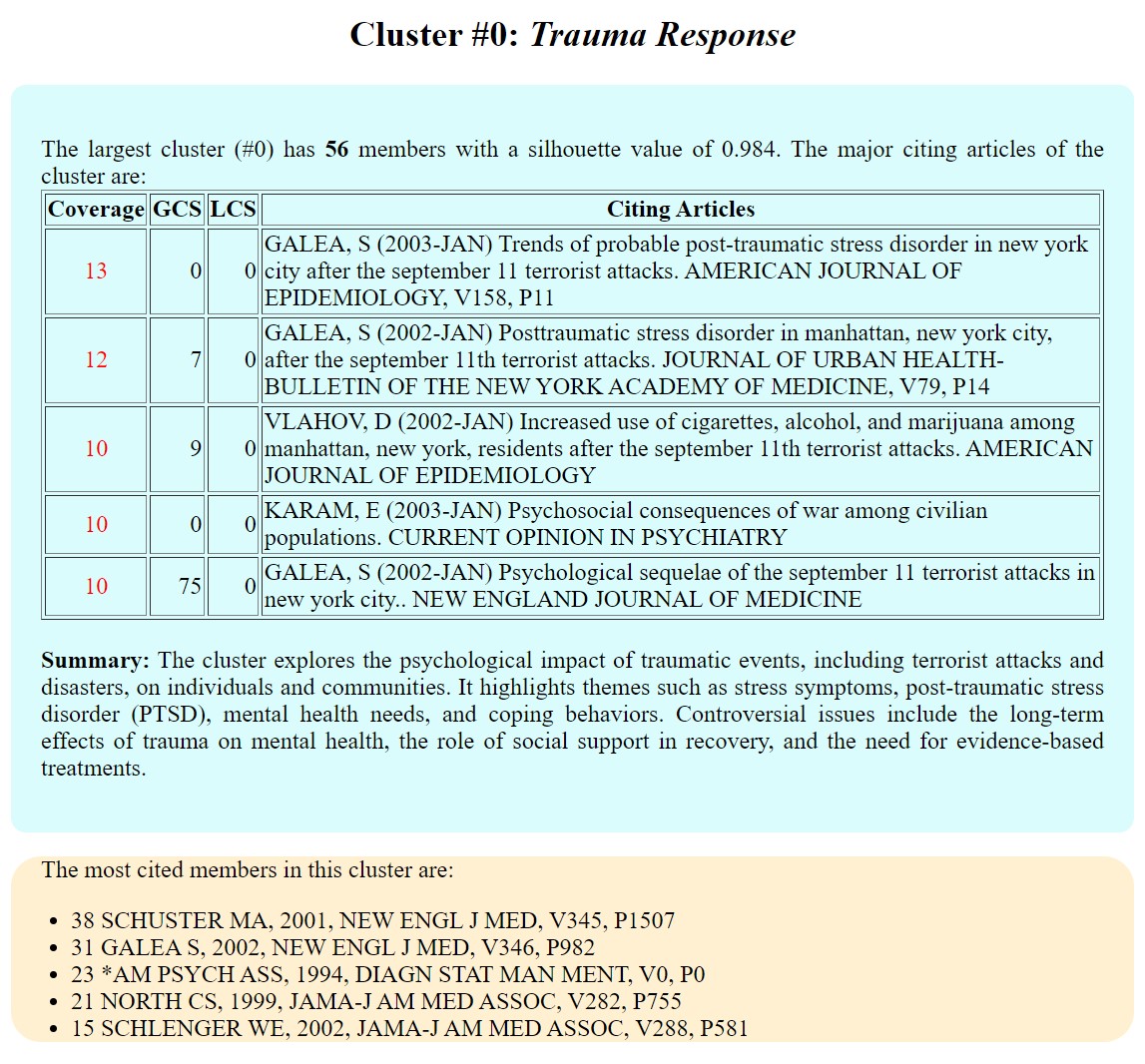
Cluster Summaries: llama3 vs gemma:2b
llama3:
gemma:2b:

Currently, I only tested llama3 and gemma:2d. The responses from gemma:2b are slightly more specific than the output from llama3. Overall, they both appear to be meaningful.
13 comments

陈老师您好!今年4月份我购买了咋们的Citespace标准版,现在准备跟新一下版本,发现下载仍需要付费,您可以处理一下这个问题吗

你好,购买后需要把标准版注册加载到你的账号,你可能漏掉了这一步。这里是公共网页。发个邮件来可以处理。
感谢陈老师!

你好!请问6.3.R3版本在2025年12月31日过期是什么意思?
这个版本过期后你需要重新下载那时的最新版本。
The steps following "10.2 How can I provide a list of alias?" from FAQs is not working for my mac (citespace version 6.3.R1 basic). Just nothing happen after changing the citespace.alias (derived from the template_citespace.alias obtained from GUI) with excel (saved as the default text file format) and re-run GO!
Please try 6.3.R3 Advanced on mac.

Two years ago I could export 29 fields in Web of Science. Now I can only export 11 fields, and one of the missing fields is "Cited References". How can I export 29 fields, or at least add "Cited References"?
Cited References are only available in the Web of Science Core Collection. Make sure you are searching in that one.
To select fields to export, pull down a list from Record Content, then Edit.
Thank you very much!!! I do not know how I left the Core Collection, but now the export is working.
I'm having issues with SCOPUS, using CiteSpace 6.3.R1 (macOS Sonoma 14.7.5). I can only find a user guide for 6.1.R3. When I go to Data --> Import/Export, then click the "Scopus" tab, the "Scopus (RIS) --> WoS" button is disabled. If I try the "Scopus (CSV) --> WoS" button, then nothing appears to happen -- neither with the RIS files as specified in the user guide, nor with CSV files per the enabled button.
On another note, which may or may not be related -- even when I specify in the project information that it is SCOPUS data, the top-left tab in the opening/main dialog box still says "Web of Science".
I have already tried quitting and restarting CiteSpace, and also restarting my laptop. I am currently attempting to skip the import step, but it is VERY slow, and the first seven one-year slices are yielding zero records and zero nodes.
On a semi-related note, the JVM memory is set to 1024 MB, and I cannot find the StartCiteSpace.bat file anywhere on my computer. Terminal commands do not seem to work (e.g., "java -Xmx8g" or "java -Xmx8g CiteSpace.app"). I could not find anywhere in Java itself to adjust memory settings (i.e., by opening the Java Control Panel through the Java section of System Settings).
Any help would be much appreciated!!!
Scopus (RIS) export format was problematic from the Scopus side, which was the reason that conversion function was disabled until they can fix it in the future. Scopus export may include other issues. Hence I recommend you to use 6.4.R2.
If you were referring to the following tab with the Web of Science. That is correct as it expects the data format is consistent with the Web of Science format. The Scopus origin would be shown at the Configuration field: Source=Scopus.
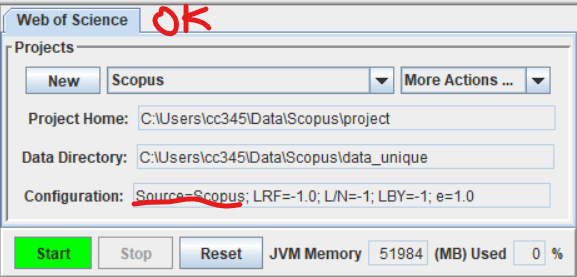
The use of JVM memory is optimized with reference to the total RAM available. If you have more RAM, you should notice it grows when you work on a larger dataset.